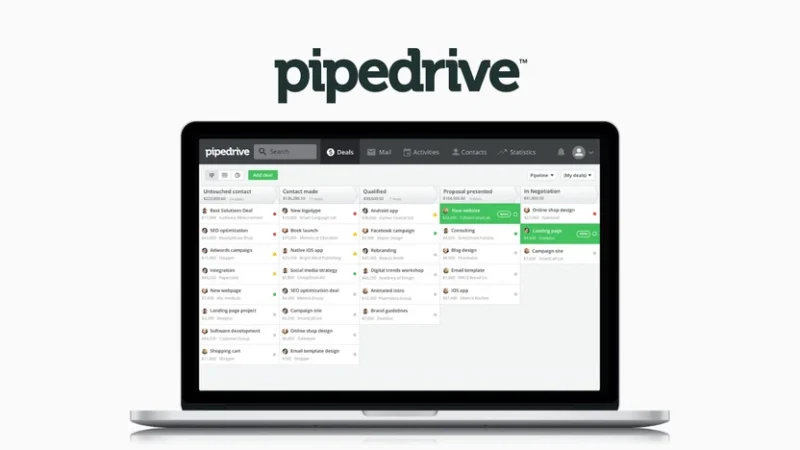

Running a small business today is more complex than ever. It means managing sales, marketing, operations, and customer relationships often all at once.
However, without structure, revenue becomes unpredictable. CRM software for small business operations creates control by organizing customer data, automating follow-ups, and improving sales visibility.
CRM applications can help increase sales by up to 29% and improve sales productivity by up to 34%.
The best CRM software for startups centralizes customer data, automates repetitive tasks, and improves pipeline visibility. It also provides actionable insights that support smarter decisions. Instead of reacting to problems, businesses using CRM software will operate with clarity, consistency, and control.
By the end of this article, you will clearly understand what CRM software does for small businesses. You will also learn how to compare platforms based on your needs. You will see which tools fit different use cases best.
What is CRM software?
Customer Relationship Management (CRM) software is a central system. It helps businesses track customer interactions, manage sales tasks, and grow revenue.
It helps teams collect and organize messages from many channels. These channels include email, phone, social media, and the web. Everything stays in one platform.
An independent research from Nucleus Research found that CRM systems return $8.71 for every $1 spent. This makes CRM one of the best ROI software investments for businesses.
By combining customer data and sales tasks in one place, CRM software improves visibility and streamlines work. It also supports personal outreach that boosts conversions and builds long-term customer relationships.
The best CRM software for small companies can:
• Prevents lost leads
• Ensures timely follow-ups
• Improves sales consistency
• Provides visibility into revenue
• Reduces manual administrative work
Key Features every small businesses need in CRM software
When choosing a small business CRM software, it’s easy to get distracted by advanced features and enterprise-level tools. Here are the features to look out for:
→ Contact Management
Every CRM system should provide a centralized place to store and organize customer information. This includes names, phone numbers, email addresses, company details, and internal notes.
For B2B businesses, strong contact management helps your team keep accurate, up-to-date information. It also reduces time searching email threads for context.
→ Client Profiles and Interaction History
Customer relationship management software should give you a complete view of each client. Emails, calls, meetings, quotes, and internal discussions should all live in one timeline. When interaction history is easy to access, conversations become more personalized and consistent. It also prevents customers from having to repeat themselves when speaking to different team members.
→ Lead and Sales Pipeline Management
One of the most important features for a startup is clear sales pipeline visibility. You should be able to see exactly where every deal stands from new inquiry to closed sale. Pipeline helps you identify stalled opportunities, forecast revenue, and prioritize the leads most likely to convert. Without this visibility, growth becomes reactive rather than strategic.
→ Integrations with Existing Tools
A small business CRM software integrates seamlessly with the tools they already use. Email platforms, phone systems, calendars, accounting software, and project management tools should connect easily to reduce manual data entry. When systems communicate with each other, productivity increases and errors decrease.
You can use our free tool to check how your CRM can integrate with your EOR.
→ Reporting and Dashboards
A CRM system should not only store data but also turn it into insight. Built-in dashboards and reporting tools allow you to monitor sales performance, track conversion rates, and evaluate overall revenue trends. Data-driven visibility is what transforms a CRM from a database into a growth engine.
→ Sales and Marketing Automation
Automation is often where small businesses see the greatest return. Simple features such as follow-up reminders, email sequences, and automated responses to lead forms ensure that no opportunity is overlooked. Automation reduces repetitive tasks and supports a smoother, more consistent sales process.
→ Mobile Access
Modern businesses operate beyond the office. A reliable mobile CRM allows sales teams to update deals, log calls, and access customer information from anywhere. Real-time updates keep pipelines accurate and ensure momentum continues, even outside regular working hours.
If you’re still trying to figure how best to maximise your CRM, see case studies of how companies like Apple and Netflix are leveraging it to scale.
Comparison Table for the Best CRM
| CRM | Best for | Starting Price | Free Plan Availability |
|---|---|---|---|
| Hubspot | All-in-one CRM for startups | $15 per user per month | yes |
| Pipedrive | Sales pipeline management | $14 per user per month | no |
| Monday.com | Tracking leads | $12 per user per month | no |
| Close | More integration with other tools | $29 per user per month | no |
| Folk | Relationship management | $24 per user per month | no |
| Nutshell | Contact management | $13 per user per month | no |
| Zoho | Customer support | $14 per user per month | yes |
| Salesmate | Email marketing | $12 per user per month | no |
Best CRM for Small Business
1. HubSpot CRM: The Best All-in-One CRM for Small Business
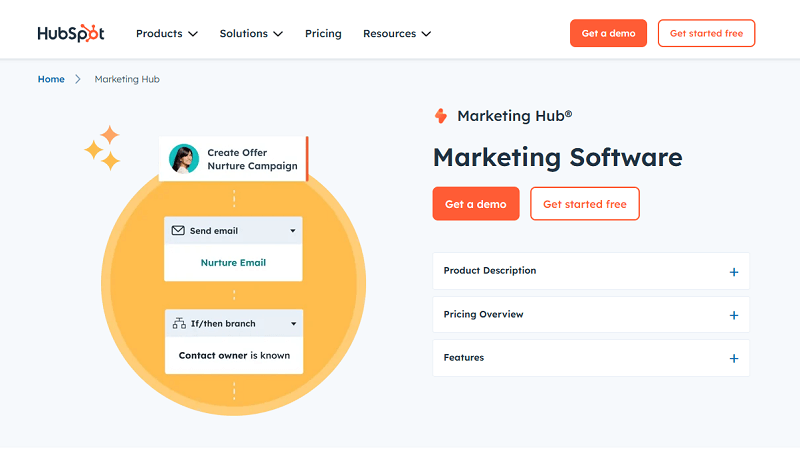
HubSpot CRM is our top overall pick for the best CRM software for small businesses. It’s a cloud-based platform that helps businesses of all sizes manage and nurture customer relationships. It uses a central system to track contacts, deals, and team interactions.
One of HubSpot’s biggest advantages is its accessibility. The platform offers a strong free CRM plan. This makes it appealing for startups and small businesses. They can manage customers in a structured way without high upfront costs.
HubSpot also scales as businesses grow. Companies can add more HubSpot tools, like marketing automation, customer service, and advanced sales features. All customer data stays on the same platform.
Furthermore, it is easy to use, has strong integrations, and can scale; HubSpot CRM stands out for small businesses.
It helps them organize customer data and improve their sales process.
Top Features of HubSpot
→ Ease of Use
HubSpot CRM is widely recognized for its user-friendly design. The interface is clean and straightforward, allowing most users to quickly learn how to manage contacts, deals, and sales pipelines with minimal training.
However, as businesses upgrade to higher-tier plans, the setup process can become more complex. Advanced capabilities like automation workflows, custom objects, and deeper integrations often require more planning and administrative oversight.
→ Customization
HubSpot offers strong customization options for small and growing businesses. Using no-code tools, teams can create custom properties, automate workflows, and adjust record layouts to highlight the information that matters most to them.
These flexible tools allow businesses to tailor the CRM without needing technical expertise. While this approach works well for most small business needs, it may feel limited for organizations requiring very complex configurations.
→ Pipeline Management
The sales pipeline is built around a visual, drag-and-drop interface that makes it easy to track deals as they move through different stages. Businesses can customize these stages to reflect their own sales process, allowing teams to monitor opportunities at every step.
Each deal appears as a card displaying key details, helping users quickly see the status of ongoing negotiations.
→ Contact Management
HubSpot’s contact management system helps businesses maintain a comprehensive view of their customers. It automatically enriches contact profiles by pulling information from a large database of business records, including details such as company size, industry, and technology usage.
which helps reduce the amount of manual data entry required for sales teams. While free plan users may enter basic details themselves, the system still tracks interactions. It logs emails, calls, meetings, and notes automatically. This builds a clear activity history for each contact.
→ Timeline View
One of HubSpot’s most useful features is its unified timeline view. Every interaction with a contact emails, phone calls, meeting notes, website visits, and form submissions, appears in a single chronological feed.
By keeping all engagement data in one place, HubSpot provides a clear and complete overview of each customer relationship.
→ Email Tracking and Integration
Email tracking and integration are the most recognized capabilities of HubSpot.
HubSpot integrates directly with email providers such as Gmail and Outlook, allowing users to send emails from their inbox while automatically logging conversations inside the CRM. It also includes email tracking notifications, which alert users when a contact opens an email or clicks a link.
For small businesses, this feature helps sales teams follow up at the right time and keep communication records organized within the customer profile.
→ Workflow Automation
HubSpot helps users automate repetitive tasks. It can assign leads to sales reps. It can send follow-up emails. It can update deal stages. It can trigger notifications.
Automation reduces manual work and helps small teams maintain consistent communication with prospects throughout the sales process.
Hubspot’s Pros
Intuitive tools
Powerful AI assistant
Robust contact management tools
Hubspot’s Cons
Advanced marketing tools require a paid subscription.
The entry-level plan has a limited feature set
Customer service experience may be better
2. Pipedrive CRM: Best Sales pipeline management
Pipedrive CRM is a sales-focused platform. It helps small businesses manage leads, track deals, and organize their sales pipeline. Known for its visual pipeline interface, Pipedrive lets teams move deals between stages with ease. Teams can track opportunities at each step of the sales process.
The platform focuses on sales pipeline management. It is a strong choice for teams that want a simple system to close deals. With its simple interface and tracking tools, Pipedrive helps businesses stay organized and follow up with prospects.
Because it is easy to use and has strong pipeline tools, Pipedrive is a top CRM choice for small businesses.
It helps boost sales results without adding a complex system.
Top Features of Pipedrive
→ Sales Software
Pipedrive’s core functionality revolves around its sales management tools. The platform helps businesses organize and oversee every stage of the sales process, from the first lead interaction to closing a deal.
Through a visual sales pipeline, teams can monitor ongoing opportunities, schedule activities, and track progress across multiple deals. This structured approach helps sales teams stay focused on priority opportunities and maintain consistent follow-ups, ultimately supporting better revenue growth.
→ Email Marketing Software
Using professionally designed templates, teams can design newsletters or promotional messages while leveraging existing CRM contact data for targeted outreach. Because campaign data is tied to the CRM, businesses can track engagement and better understand how prospects respond to their communications.
→ Marketplace Integrations
Pipedrive offers an extensive marketplace with more than 500 integrations that connect the CRM with commonly used business tools. Integrations with platforms such as Gmail, Zoom, Zapier, and project management software allow businesses to synchronize data across systems. It reduces manual data entry and helps teams manage customer interactions from a unified workflow.
→ Lead Generation Tools
The platform also provides tools designed to help businesses capture and identify new prospects. Through features such as live chat, chatbots, and web forms, companies can collect lead information directly from their website.
Pipedrive also offers an AI-powered Prospector tool that helps businesses discover potential customers that match their target profile, making it easier to build a qualified sales pipeline.
→ Web Visitor Tracking
Pipedrive’s web visitor tracking feature allows businesses to see which companies are visiting their website and how they interact with different pages. By understanding visitor behavior, sales teams can identify potential opportunities and reach out to interested prospects at the right time.
→ Documents and Templates
Pipedrive includes document management tools that allow users to create, store, and share sales materials within the CRM. Teams can generate proposals, presentations, and reports using reusable templates while tracking when recipients view or interact with those documents. This helps sales representatives collaborate more effectively and stay informed about client engagement.
3. Monday.com CRM: Best in Tracking Leads
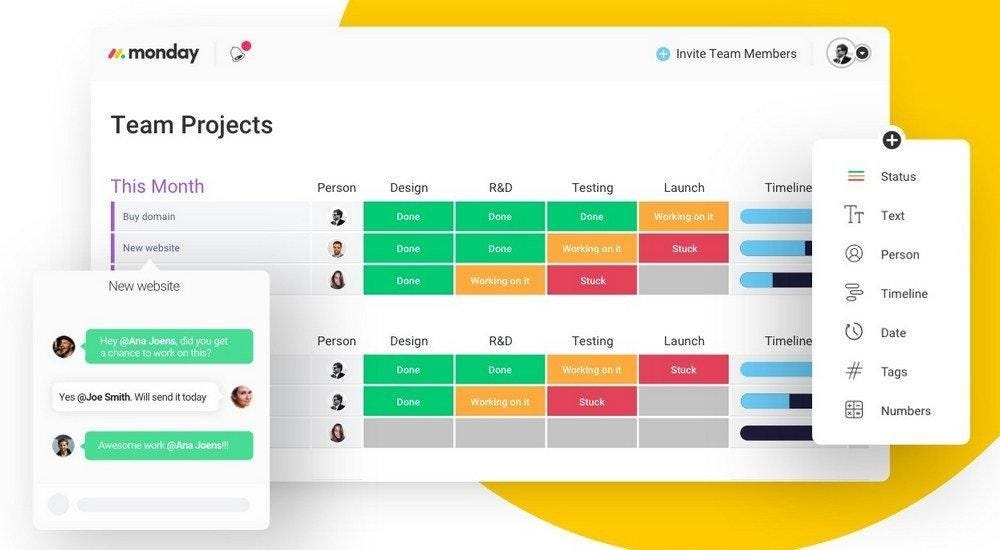
Monday.com CRM takes a different approach from traditional customer relationship management platforms. Instead of being built strictly as a sales tool, monday.com runs on a flexible work operating system (Work OS) that allows businesses to design their own workflows, pipelines, and dashboards around how their teams actually operate.
For small businesses, this flexibility is what makes monday.com unique. Teams can create customizable boards to manage leads, track deals, organize customer interactions, and even connect sales activities with other workflows like project management or marketing tasks. The visual interface makes it easy to monitor progress, while automation tools help reduce repetitive work such as updating deal stages or assigning follow-up tasks.
Businesses can modify pipelines, add custom fields, build dashboards, and automate processes without needing technical expertise. Because of its visual design, strong customization, and ability to combine customer management with broader workflow management, monday.com CRM stands out as a flexible option for small businesses looking to track leads.
Top Features of Monday CRM
→ Customizable Sales Pipelines
Monday.com allows small businesses to build visual sales pipelines that reflect their unique sales process. Deals can be organized into stages and moved across the pipeline using a simple drag-and-drop interface. This makes it easy for teams to monitor opportunities and identify which deals require attention.
→ Flexible Workflow Customization
Unlike many traditional CRM platforms, monday.com allows businesses to customize workflows without coding. Teams can create boards, add custom fields, and adjust processes to match their specific operations. This flexibility is especially useful for small businesses that need a CRM that adapts to their workflow rather than forcing them into rigid structures.
→ Automation for Repetitive Tasks
Monday.com includes automation tools that help reduce manual work. Businesses can automatically assign tasks, update deal stages, send notifications, or trigger follow-ups based on specific conditions. These automation capabilities help small teams stay organized and maintain consistent communication with prospects.
→ Dashboard and Sales Reporting
The platform provides customizable dashboards that give businesses visibility into sales performance and pipeline activity. Teams can track metrics such as deal progress, sales targets, and team performance in real time, helping owners make more informed decisions.
→ Integration with Business Tools
Monday.com connects with many commonly used business applications, including email platforms, calendar tools, and communication apps. These integrations allow businesses to synchronize customer data and manage interactions across systems without constant manual updates.
→ Centralized Contact and Deal Management
Monday.com provides a centralized place to store customer information, track deals, and manage communication history. Having all contact data and deal activity in one system ensures that team members always have access to accurate and up-to-date customer information.
→ Mobile Access
This software offers mobile apps that allow users to access their CRM from anywhere. Sales teams can update deals, check contact details, and manage tasks while away from the office, helping maintain productivity even when working remotely.
Pros of Monday CRM
Highly customizable workflow
Visual and intuitive interface
Strong automation capabilities
Wide range of integrations
Scalable for growing teams
Cons of Monday CRM
Limited CRM-specific features compared to traditional CRMs
Pricing can increase as teams grow
Initial setup may take time
4. Close CRM: Best for integrating with other CRM
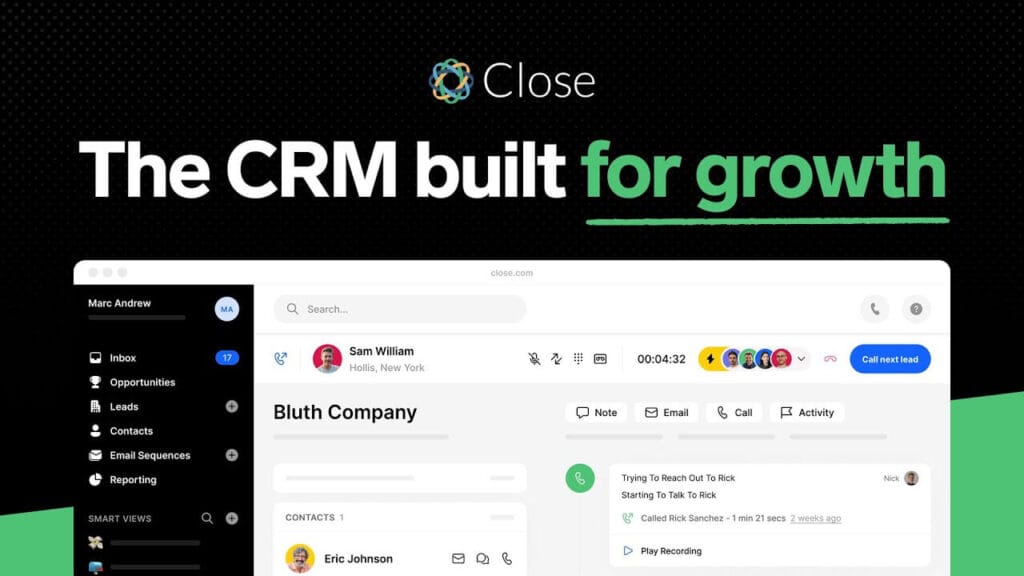
Close CRM is a sales-focused CRM platform for small businesses and startups. It helps teams earn revenue through direct outreach. Unlike many traditional CRMs, Close places communication at the center of the sales process.
The platform combines core CRM features with built-in communication tools. Sales teams can manage leads, make calls, send emails, and track deals in one place. By keeping these activities in one system, Close reduces the need to switch tools. This helps sales teams stay focused and work more efficiently.
Close CRM is designed to support fast-moving sales teams that depend on consistent follow-ups and direct engagement with prospects. With its communication-first design and streamlined workflow, the platform helps businesses improve productivity and move deals through the pipeline more effectively.
Top Features of Close
→ Built-in Calling and SMS
Instead of relying on external phone systems, sales teams can make calls and send text messages directly from the CRM interface. Every interaction is automatically logged under the contact’s profile, creating a complete communication history.
This makes it easier for teams to track conversations, maintain context, and ensure that follow-ups happen at the right time. For small businesses that rely heavily on outbound sales, having communication tools integrated directly into the CRM helps streamline workflows and reduce the need to switch between multiple platforms.
→ Email Tracking and Automation
Users can monitor when emails are opened or replied to with a close CRM, giving sales teams valuable insight into prospect engagement. Automated email sequences can also be created to nurture leads and ensure consistent follow-ups. This helps small businesses maintain regular communication with prospects without manually sending every message, saving time while improving lead conversion opportunities.
→ Visual Sales Pipeline
The platform provides a visual sales pipeline that helps teams monitor the progress of deals throughout the sales process. Each opportunity is displayed within customizable pipeline stages, allowing users to see where deals stand and which ones require attention quickly.
The visual interface makes it easier for teams to track multiple opportunities at once and maintain clear visibility into their sales funnel. This structured approach helps businesses identify stalled deals and prioritize actions that move prospects closer to closing.
→ Lead Management
Close CRM offers centralized lead management that allows businesses to store and organize contact information in one place. Teams can track lead sources, record interactions, and maintain detailed notes about each prospect. By having all lead data accessible in a single system, sales representatives can better understand the history of each relationship and focus their efforts on the most promising opportunities.
→ Sales Automation
Automation features in Close CRM help reduce repetitive administrative work. The platform can automatically trigger actions such as assigning leads, sending follow-up reminders, or updating deal stages based on customer behavior. These automated workflows ensure that important tasks are not overlooked and help sales teams maintain consistent engagement with prospects throughout the sales cycle.
→ Reporting and Insights
Managers can review metrics such as call activity, deal progress, and conversion rates to understand how their sales team is performing. These insights allow businesses to identify areas for improvement, track progress toward revenue goals, and make data-driven decisions that support growth.
5. Folk CRM: Best in Relationship Management
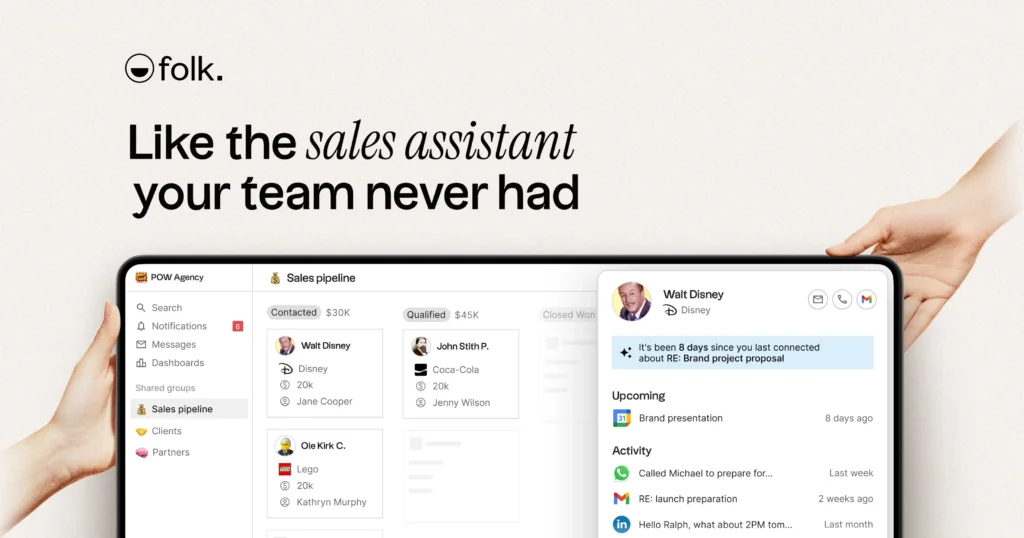
Folk CRM is a lightweight, relationship-based platform for small businesses and teams. It suits people who prefer simplicity over complex sales systems. Folk is designed around managing and nurturing relationships more flexibly and intuitively.
This platform has a clean, modern interface. It lets users organize contacts, group relationships, and track interactions with ease. It’s particularly useful for founders, agencies, and small teams that manage clients, partnerships, or professional networks.
Because of its simple design and focus on relationship management, Folk CRM is a strong option for small businesses that want a straightforward, collaborative CRM without the overhead of traditional sales-heavy platforms.
Top Features of Folk
→ Contact Organization
Folk CRM is built around helping small businesses organize contacts in a way that actually reflects how they work. Instead of forcing users into rigid pipelines, the platform allows you to group contacts into flexible lists such as clients, leads, partners, or investors. These groups can be customized and updated as relationships evolve, making it easier to manage different types of contacts without overcomplicating your workflow.
→ Email Integration
Folk integrates directly with your email, allowing you to manage conversations alongside your contacts without constantly switching tools. Emails are automatically linked to contact profiles, giving you a clear view of past conversations and ongoing discussions. This makes it easier to stay on top of communication, especially for small teams handling multiple clients at once.
→ Interaction Tracking
Every contact in Folk CRM can include detailed notes, tags, and a history of interactions. This allows you to capture important context from meetings, calls, or emails, so nothing gets lost over time. For small businesses, this is especially valuable because it ensures that every team member can quickly understand the relationship history before engaging with a client.
→ Team Collaboration
Folk is designed to support collaboration across small teams. Contacts, notes, and groups can be shared, allowing everyone to stay aligned when working with the same clients or partners. This reduces confusion, prevents duplicated efforts, and ensures that communication remains consistent across the team.
→ Workflow Management
While Folk is not built as a traditional sales-heavy CRM, it still provides a simple way to manage workflows. Using tags, groups, and basic tracking, businesses can monitor progress and keep activities organized. This approach works well for teams that need structure but want to avoid the complexity of fully automated sales pipelines.
→ User Interface
Folk CRM features a clean and modern interface designed for ease of use. The layout is intuitive, making it easy to navigate between contacts, groups, and communication history. This simplicity allows small businesses to adopt the platform quickly without needing extensive onboarding or training.
6. Nutshell: Best for Contact Management
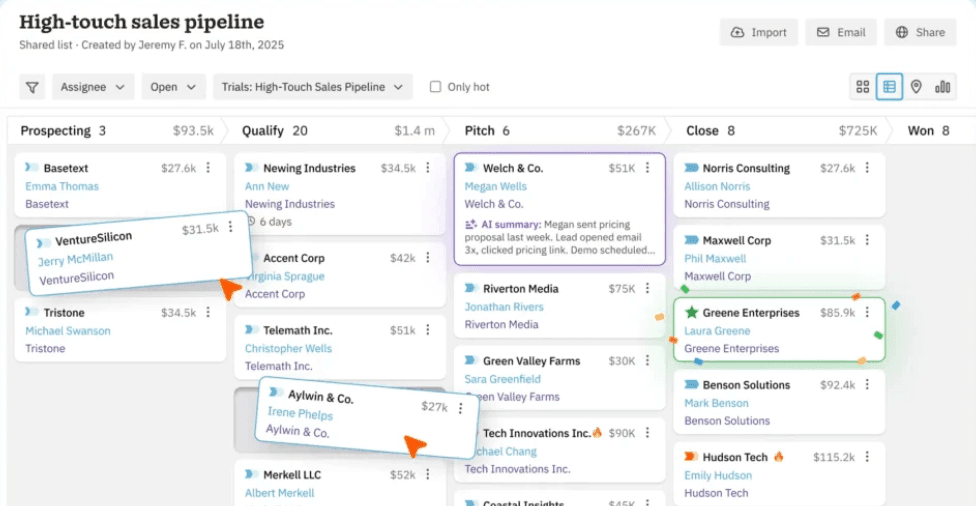
Nutshell CRM is a sales-focused customer relationship management platform built for small businesses that want a simple way to manage leads and close deals. It combines core CRM tools with built-in email marketing, allowing teams to handle sales and communication from one place.
However, it is designed with a clean interface that helps teams quickly organize contacts, track interactions, and manage their sales pipeline without a steep learning curve. This makes it a good fit for small teams that need a functional CRM without unnecessary complexity.
Nutshell stands out for its balance between simplicity and capability. It provides enough features to support growing sales teams while remaining straightforward to set up and use. For small businesses looking for an affordable and practical CRM to improve sales organization and follow-ups, Nutshell is a reliable option.
Top Features of Nutshell
→ Contact Management
Nutshell CRM allows businesses to store and manage unlimited contacts and company records in one centralized system. Each contact includes a full activity timeline, making it easy to track conversations, notes, and interactions over time. This helps small teams stay organized and maintain context across every customer relationship.
→ Sales Pipeline Management
The platform provides a visual sales pipeline that helps businesses track deals from initial contact to closing. Teams can customize pipeline stages to match their sales process and easily move deals between stages. This visibility makes it easier to monitor progress, identify stalled deals, and prioritize opportunities.
→ Sales Automation
Nutshell includes automation tools that help reduce repetitive tasks such as follow-ups, reminders, and workflow updates. By automating routine activities, small businesses can focus more on building relationships and closing deals instead of manual data entry.
→ Email Marketing
Unlike many CRMs, Nutshell includes built-in email marketing features. Businesses can create targeted email campaigns, segment audiences, and track engagement directly within the CRM. This allows teams to manage both sales and marketing communication from one platform.
→ Reporting and Analytics
Nutshell provides reporting tools that give insight into sales performance, team activity, and conversion rates. Dashboards help businesses understand how their sales process is performing and make better decisions based on real data rather than guesswork.
→ Email and Calendar Sync
The CRM integrates with email platforms like Gmail and Outlook, syncing emails and calendar events automatically. This ensures that communication and meeting schedules are always connected to the right contacts and deals without manual updates.
→ Lead Generation Tools
Nutshell helps businesses capture and manage new leads through web forms, chat tools, and landing pages. These tools allow companies to collect customer information directly from their website and automatically add it to the CRM for follow-up.
7. Zoho: Best For Customer Support
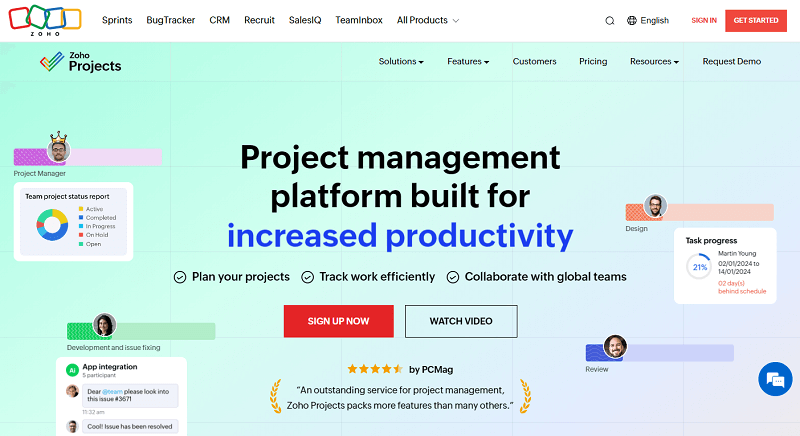
Zoho CRM is a flexible customer relationship management platform for small businesses. It gives you more control over sales and customer data. It combines lead tracking, deal management, and customer interactions in one system. It helps teams stay organized and improve their sales process.
Unlike many CRMs with fixed structures, Zoho lets businesses tailor pipelines, workflows, and data fields.
It matches their exact processes. This makes it a strong option for small businesses that want a CRM they can adapt as they grow.
Zoho CRM is often considered one of the best CRM software options for small businesses that need a more customizable solution.
Top Features of Salesmate
→ Lead Management
Zoho CRM helps small businesses keep track of potential customers from the moment they show interest. Leads from different sources, such as website forms, referrals, or campaigns, can be captured and organized in one place. Teams can then sort, prioritize, and assign leads, making it easier to focus on the ones most likely to convert into paying customers.
→ Sales Automation
Managing follow-ups manually can slow down small teams. Zoho CRM reduces this burden by automating routine tasks like sending reminders, updating deal stages, and assigning activities. This ensures that every lead is followed up on at the right time without relying on memory or manual effort.
→ Sales Pipeline Tracking
Zoho CRM provides a structured view of the sales process through a customizable pipeline. Businesses can define stages that reflect how they sell, track deal movement, and monitor progress in real time. This visibility helps teams identify delays, improve conversion rates, and maintain control over revenue flow.
→ Customization
Users can create custom fields, adjust layouts, and design workflows that match their operations. This flexibility allows small businesses to shape the system around their processes instead of adjusting their workflow to fit the software.
→ Reporting and Insights
Zoho CRM turns sales data into actionable insights through built-in reports and dashboards. Businesses can monitor performance metrics such as deal progress, conversion rates, and team activity. These insights help identify what’s working, where improvements are needed, and how to make better business decisions.
→ Multichannel Communication
Zoho CRM supports communication across multiple channels, including email, phone, and social platforms. This allows businesses to manage conversations with customers from one system, ensuring that no interaction is missed and communication remains consistent.
→ Integrations
Zoho CRM connects with a wide range of business tools, making it easier to sync customer data across different systems. It also works seamlessly with other Zoho applications, allowing businesses to manage sales, marketing, finance, and support within a connected ecosystem.
8. Salesmate: Best For Email Marketing
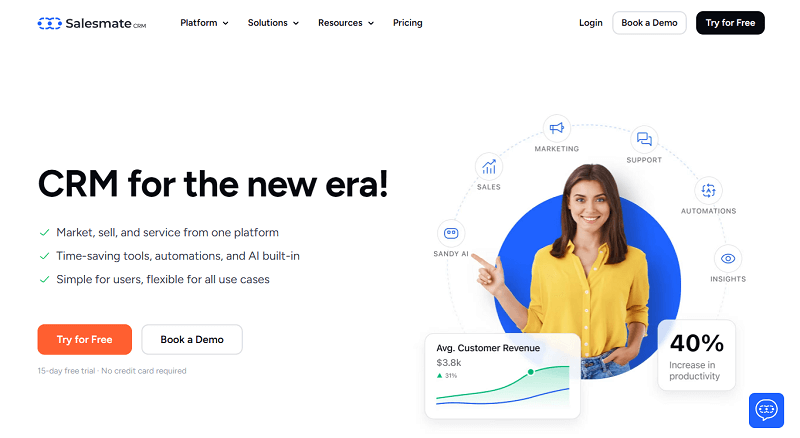
Salesmate CRM is a modern CRM platform for businesses. It helps you manage contacts, track deals, and automate sales tasks. It provides a centralized system for handling customer interactions while helping teams stay organized throughout the sales process.
It also supports lead nurturing with tools like live chat, email campaigns, and automated workflows.
This helps businesses engage prospects and keep communication consistent.
The platform is designed to help small teams improve productivity by reducing manual tasks and keeping sales activities structured.
Top Features of Salesmate
→ Contact Management
Salesmate CRM provides a centralized system where businesses can store and manage all customer information. Each contact includes a full activity history, including emails, calls, notes, and meetings, giving teams a complete view of every relationship. This makes it easier to maintain context and deliver more personalized communication.
→ Sales Pipeline Tracking
The platform offers a visual pipeline that allows teams to track deals across different stages of the sales process. Businesses can customize pipelines to match how they sell and easily move deals forward as they progress. This visibility helps identify bottlenecks and ensures no opportunity is overlooked.
→ Workflow Automation
Salesmate includes automation tools that handle repetitive tasks such as assigning leads, sending follow-ups, and updating deal stages. These workflows help small businesses save time and maintain consistent engagement with prospects without relying on manual processes.
→ Built-in Calling and Messaging
The CRM includes integrated calling and SMS features, allowing teams to communicate with prospects directly from the platform. All conversations are automatically logged, ensuring that communication history is always accessible for future follow-ups.
→ Email Marketing and Campaigns
Salesmate allows businesses to create and manage email campaigns within the CRM. Teams can design email templates, segment contacts, and automate outreach based on customer behavior. This helps nurture leads and maintain consistent communication throughout the customer journey.
→ Reporting and Analytics
The platform provides dashboards and reports that help businesses track sales performance, monitor team activity, and analyze conversion rates. These insights make it easier to understand what’s working and where improvements are needed.
→ Integrations
Salesmate integrates with hundreds of third-party tools, including email platforms, communication apps, and business software. This allows businesses to connect their CRM with existing tools and maintain a smooth, unified workflow.
How to choose the best CRM for your Startup Business
A CRM is considered the best when it aligns with your workflows, supports your specific industry needs, and is easy for your team to use daily.
• Identify Your Business Goals
Start by defining what you want to achieve with a CRM. Some businesses want to improve sales conversions, while others are focused on automating repetitive tasks or strengthening customer relationships. Having clear goals will help you avoid choosing a system with features you don’t actually need.
Many small businesses adopt or switch CRM platforms to improve efficiency or overcome limitations in their current systems. Others are driven by the need to enhance customer experience, increase team productivity, and gain better visibility into sales performance.
• Consider Your Industry and Team Needs
The right CRM depends on how your business operates. A B2B company may require detailed pipeline tracking and account-based sales tools, while a B2C business might focus more on customer engagement and marketing automation.
Industry-specific requirements also matter. Businesses that handle sensitive customer data may need systems that meet compliance standards, while others may benefit from niche CRM solutions tailored to their workflows.
• Focus on Essential Features
A CRM doesn’t need to include every advanced capability to be effective. What matters is whether it supports your current operations and allows you to scale over time. Core features such as contact management, pipeline tracking, automation, reporting, and integrations should be prioritized.
Beyond these basics, it’s important to consider how well the CRM handles real business scenarios like follow-ups, customer tracking, and team collaboration.
• Evaluate Ease of Use and Adoption
Even the most powerful CRM will fail if your team doesn’t use it. A system with a clean interface and intuitive navigation will encourage adoption and reduce the time spent on training. Small businesses benefit most from tools that can be implemented quickly without technical complexity.
• Check Integration Capabilities
Your CRM should connect seamlessly with tools your team already uses, such as email platforms, calendars, communication apps, and accounting software. Strong integrations reduce manual data entry and ensure that information flows smoothly across your systems.
• Consider Automation and Efficiency
Automation plays a key role in improving productivity. Look for a CRM that can handle repetitive tasks like follow-ups, reminders, lead assignments, and workflow updates. This allows your team to focus more on building relationships and closing deals rather than on administrative work.
And in case non of the listed CRMs suits your need, and you wanna buy one yourself, check out our guide on the cost of building a CRM system.
Final Verdict: CRM Tools for Small Business
Choosing the best CRM for your small business is not about having the most features. Finding one that fits your workflow and supports your growth is what it’s about.
As stated earlier, CRM adds structure to your sales process and keeps customer data organized. It also helps ensure you do not miss any opportunities.
It helps your team stay consistent with follow-ups. It improves visibility into your pipeline. It also helps you make better decisions using real data, not guesswork.
HubSpot CRM stands out as the best overall choice for its balance of ease of use and scalability. Tools like Pipedrive and Close are ideal for sales-focused teams, while Zoho and Monday.com offer more flexibility for businesses that need customization.
For simple use cases, platforms like Nutshell and Folk offer a more direct approach. Salesmate provides strong automation and communication tools.
The key is to choose a CRM your team will actually use to avoid these implementation failures. Start with your core needs, keep your setup simple, and scale as your business grows.
Frequently Asked Questions
CRM pricing varies widely. Some platforms offer free plans, while paid options typically start between $10 and $30 per user per month. Costs increase as you add features such as automation, integrations, and advanced reporting.
CRM pricing varies widely. Some platforms offer free plans, while paid options typically start between $10 and $30 per user per month. Costs increase as you add features such as automation, integrations, and advanced reporting.
Choosing the wrong CRM can lead to low team adoption, wasted time, and poor data management. This is why it’s important to focus on ease of use, core features, and scalability before making a decision.